
You know the feeling all too well. You’re packing for a trip, a family holiday, or even a casual weekend hike, and you’re staring at your gear bag.
Do I bring the 24-70mm or the primes? Should I pack the backup body just in case? Is it worth hauling the heavy tripod on the off chance I come across an epic composition?
On a dedicated photo expedition, taking the time to unpack a full setup is part of the joy. But when traveling with family and friends, lugging heavy gear and constantly swapping lenses isn’t always practical. Instead of simply being present with the people you love, you find yourself managing equipment and carrying weight you don’t need.
But what if you could leave behind the heavy gear while still expressing yourself artistically? For years, award-winning photographer Kelley Dallas has shot with a full professional kit, but she’s discovered that the best camera truly is the one that’s always with you. And for an experienced shooter, the iPhone can be a formidable tool.
We spoke to her about the raw power of mobile photography, the art of staying unburdened, and why knowing how to use your iPhone is a game-changer for pros and beginners alike. Later, we’ll also hear from Marc Muench, co-leader on this workshop, on whether that claim holds up.
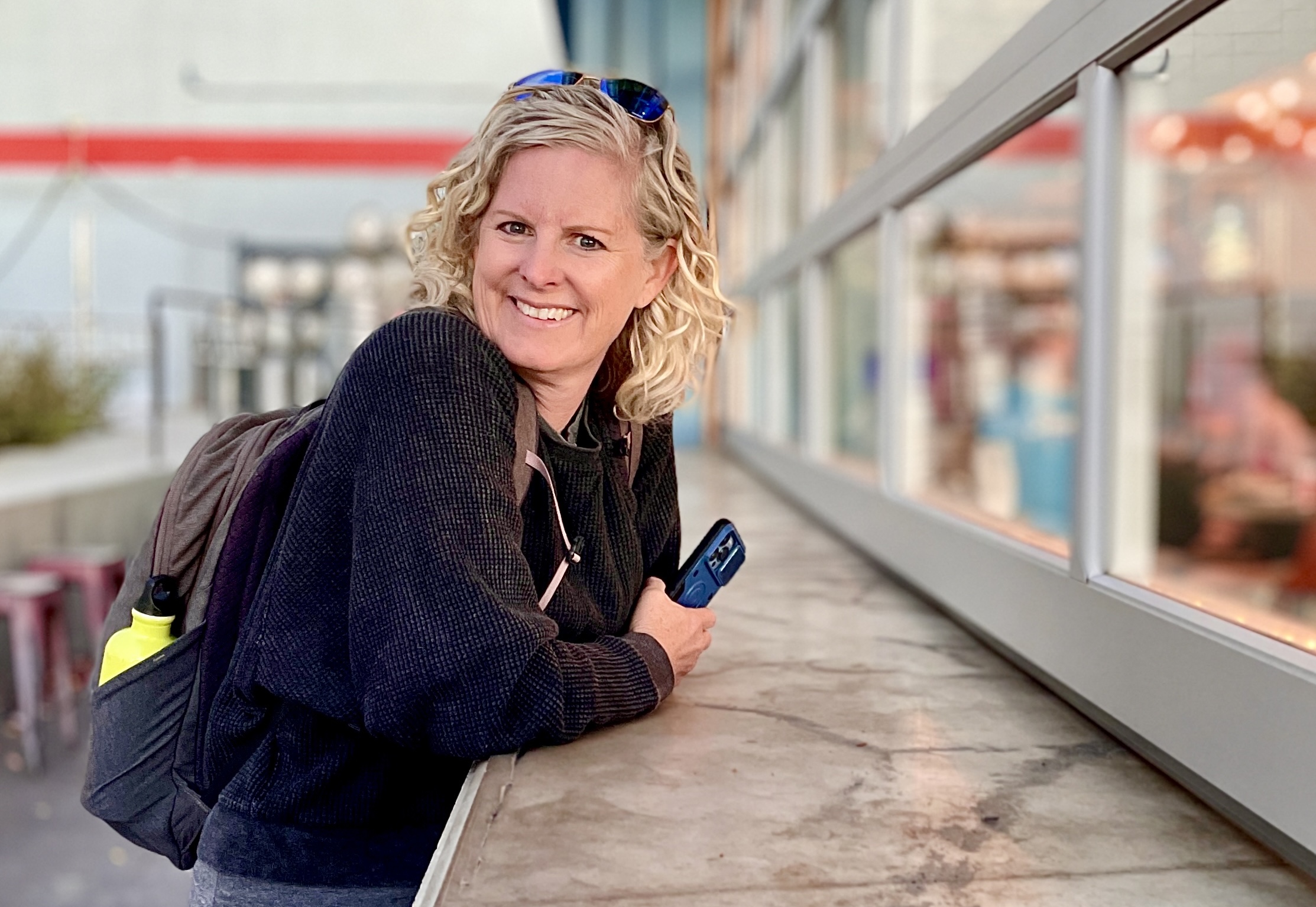
Q: Kelley, you’ve spent years shooting on professional cameras. What first made you look at an iPhone as a serious photographic tool?
Kelley: The evolution of my photography has always moved alongside the evolution of my life. I spent my 20s and 30s doing travel and cultural photography, but once I had my daughter, that came screeching to a halt. They say photograph what you know, so I shifted to documenting childhood, but in a candid, real way, rather than plopping my kid in a field of grass for a cheesy grin. Looking back, those real photos are invaluable for telling the story of who she was.
The turning point for the iPhone specifically happened when she was around seven. I went to pick her up from a playdate, and she and her friend were playing the piano. This beautiful shaft of light was cutting through the house. I didn’t have my big camera with me, so I grabbed my iPhone instead, adjusted the exposure, and captured this incredibly fleeting moment.
I entered that photo into a Smithsonian contest, back when they had a mobile category, and it won. That was the moment I thought, oh, there’s something to this iPhone that’s pretty valuable.

Q: How would trying to capture that with a traditional DSLR have changed the dynamic?
Kelley: A big camera creates a psychological barrier. The second you lift a massive lens, family and friends change how they behave. The iPhone keeps things entirely natural. It lets you understand the power of being truly present when you’re surrounded by loved ones. You get to make the most of capturing the moment, but you also get to simply be a part of it, rather than being an outside distraction to the people you’re with.
Q: You’ve mentioned there’s a social advantage to shooting on a phone when you travel, too. How do people react to a phone versus a professional body?
Kelley: The phone is ubiquitous. Everybody has one, and everybody’s putting their phone up to take a snapshot. Because of that, you blend seamlessly into the environment. People discount you as just another tourist taking a quick snap, which gives you this free pass to capture authentic street and documentary moments. A large pro camera body and a giant lens do the opposite. They draw attention, make people self-conscious, and can even make you a target for theft.
Know Your Lenses
Q: What’s the number one mistake people make that ruins their iPhone image quality?
Kelley: (enthusiastically) Pinch-to-zoom! Stop doing it! Pinch-to-zoom is just digital cropping, and it immediately degrades your image quality.
You have to treat the phone like a real camera. Tapping the native buttons on your screen, like 0.5x, 1x, or 3x, corresponds to switching between physical, optical lenses. Stick strictly to those native numbers.
You also need to know the technology behind your phone. The 1x lens always has the best, largest sensor and the finest optics. If you’re in low light, use the 1x lens, because it will give you the highest possible quality. If you want a tighter frame, use your feet to move closer rather than degrading the shot digitally.
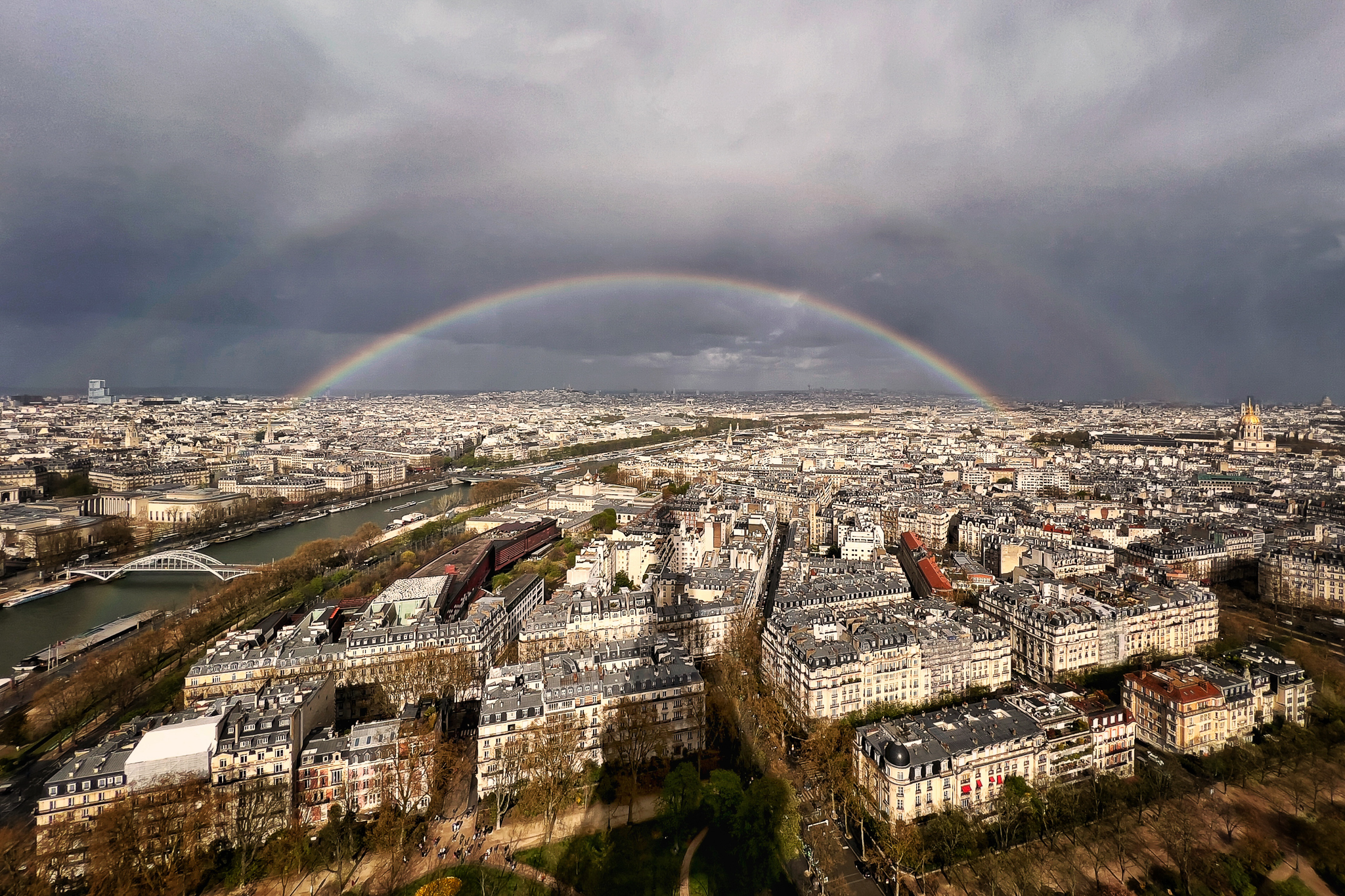
Knowing your lenses matters for another reason too: sometimes the phone has range your other gear doesn’t. I was on a trip to Paris and had brought just one lens for my professional camera, a 28-200mm, intentionally keeping things light. I was at the top of the Eiffel Tower, and this incredible double rainbow appeared with the massive shadow of the Eiffel Tower stretching out below it.
My 28mm lens did not get the wide angle of the shot, so I pulled out my iPhone, because it had a wider lens, and I was able to capture the shadow and the full rainbow from end to end before it disappeared. It’s pretty amazing that you’ve got all these different lenses, from very wide to zoom, right there in your little phone.
Q: How do you care for your phone hardware?
Kelley: Clean your lenses, and protect them! We throw our phones into bags, pockets, onto car seats. You would never toss a professional lens around without a cover, yet people do it to their phones constantly. I buy cases with a sliding protective cover for the lenses to keep them pristine.
Proof on the Wall
Q: Skeptics argue mobile photos only look good on Instagram or a small screen. Can they actually hold up as large-format prints?
(Kelley bounces up enthusiastically, walks to a cupboard, and returns with a stack of A4 prints.)
Kelley: I hear this skepticism all the time, so I made a point of printing my iPhone work to prove it. Look at these! When I teach, I hold up two identical A4 prints of the same landscape, one from my pro camera and one from my iPhone, and ask which one people like better. Most of the time, they pick the iPhone print. Thanks to the phone’s computational HDR, it handles difficult cloud highlights and complex shadows beautifully. They absolutely hold up on a wall.


Q: What does your editing workflow look like, to get prints of that caliber?
Kelley: I shoot about 95 percent in RAW. It takes up more memory, but it preserves all that data so I can get the most out of editing later. One thing worth knowing: iPhones don’t shoot RAW by default. You have to go into your settings and turn it on yourself. It’s a couple of taps, nothing complicated compared to a camera menu, but if you don’t know to look for it, you’ll never find it.
The gap between mobile and desktop editing has practically vanished these days. For immediacy, I’ll use the native iOS tools or take a shot into Lightroom Mobile, or an app called Snapseed, right on my phone. But I’m also fairly regimented about it. On a quarterly basis, I pull all my mobile images onto my laptop, organize them into an iPhone-only folder, and do deeper processing in desktop Lightroom.
Q: You’ve talked about a “going clean” approach to packing for trips. Can you explain that philosophy?
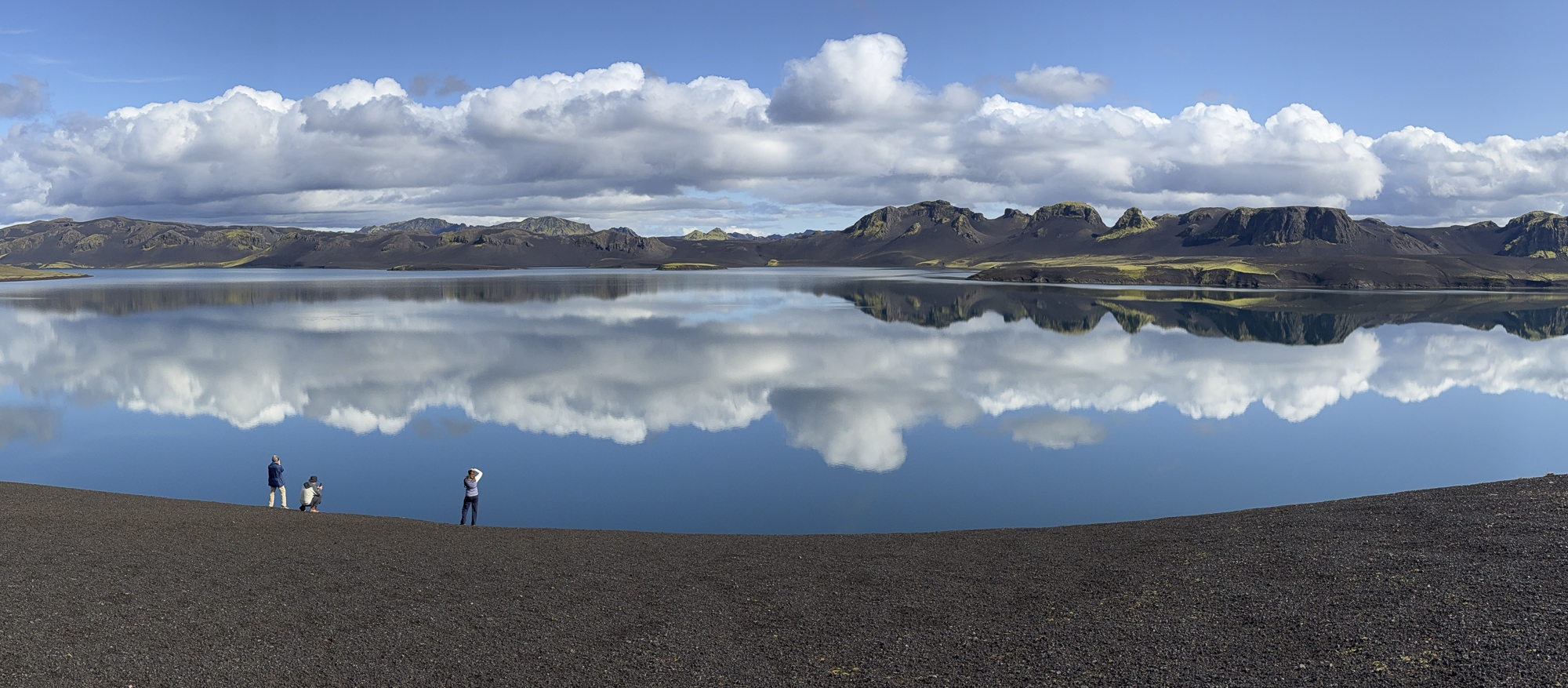
Kelley: It’s about creative confidence. I recently went on a week-long trip that was primarily for drone photography. In the past, I’d have packed a heavy backup body and multiple lenses out of fear. This time I went clean. I packed my drone and my iPhone, and I left the heavy camera gear entirely at home.
It was liberating. I didn’t have to haul heavy bags, I didn’t have to worry about gear overheating in the car, and I didn’t miss a single shot. I knew that if I hiked up to an alpine lake in the middle of the day, my iPhone was going to capture a crisp, spectacular image.
Q: That said, do you still reach for the big camera? Where does the iPhone reach its limit?
Kelley: Absolutely, and it’s important to know where that line is. If I’m tracking wildlife at real distance, on a safari for example, the phone isn’t going to get me there. Certain night photography has limits too. I shot the Milky Way on my iPhone at White Pocket in Arizona and it held up beautifully, but that only worked because the foreground was lit and stayed dark and simple. If a shot needs a lit foreground blended with the sky, that’s a different technique, and the pro camera still does it better.
It comes down to intention. I think about what I’m going to do with an image afterward before I decide what to shoot it with.
Bringing It Into the Field
Q: You started teaching local iPhone classes and they sell out every time. What made you want to build a dedicated field workshop around this?
Kelley: It came from watching how people actually use their phones and realizing there was a massive missing link. They have this incredible capability right in the palm of their hand, but they treat it so casually. They hold it up without thinking about orientation, and just snap.
I wanted to teach people to be intentional with the tool. Small shifts, like using your finger to select focus and exposure, or understanding that these are real lenses that need protecting and cleaning, completely change what someone comes home with.
I’ve also noticed something interesting on traditional high-end workshops. Often you’ll have a couple where one person is completely crazy about their gear and the other wants to join the trip, to see Patagonia or the Arctic or Tuscany, but doesn’t want to carry a big setup or learn the exposure triangle. They bring their iPhone instead. A workshop like this bridges that gap. It lets them take real photos on their own terms, without being overwhelmed by the technical side of it.
Q: Marc, was there a specific moment on your traditional workshops where you realized there was a genuine need for this?
Marc: It’s been a slow evolution, something I’ve wanted to do for a good five years since the pandemic. I’ve actually used the phone as a tool to teach composition for a long time.
We frequently see people on workshops who need a rigid checklist, checking their aperture, worrying about settings, because they haven’t spent decades turning their big camera into an automatic appendage of their body. They spend so long caught up in the details and the tripod that they miss a fleeting, beautiful moment happening right in front of them.
The phone strips away all those technical reasons not to enjoy composition. You take that away, and now you’re just composing. Once the resolution from the phone is good enough for your needs, there’s no reason to bring out another camera. It’s a fantastic bridge.
Q: What’s an iPhone capability that would genuinely surprise an experienced photographer, something they might not know about?
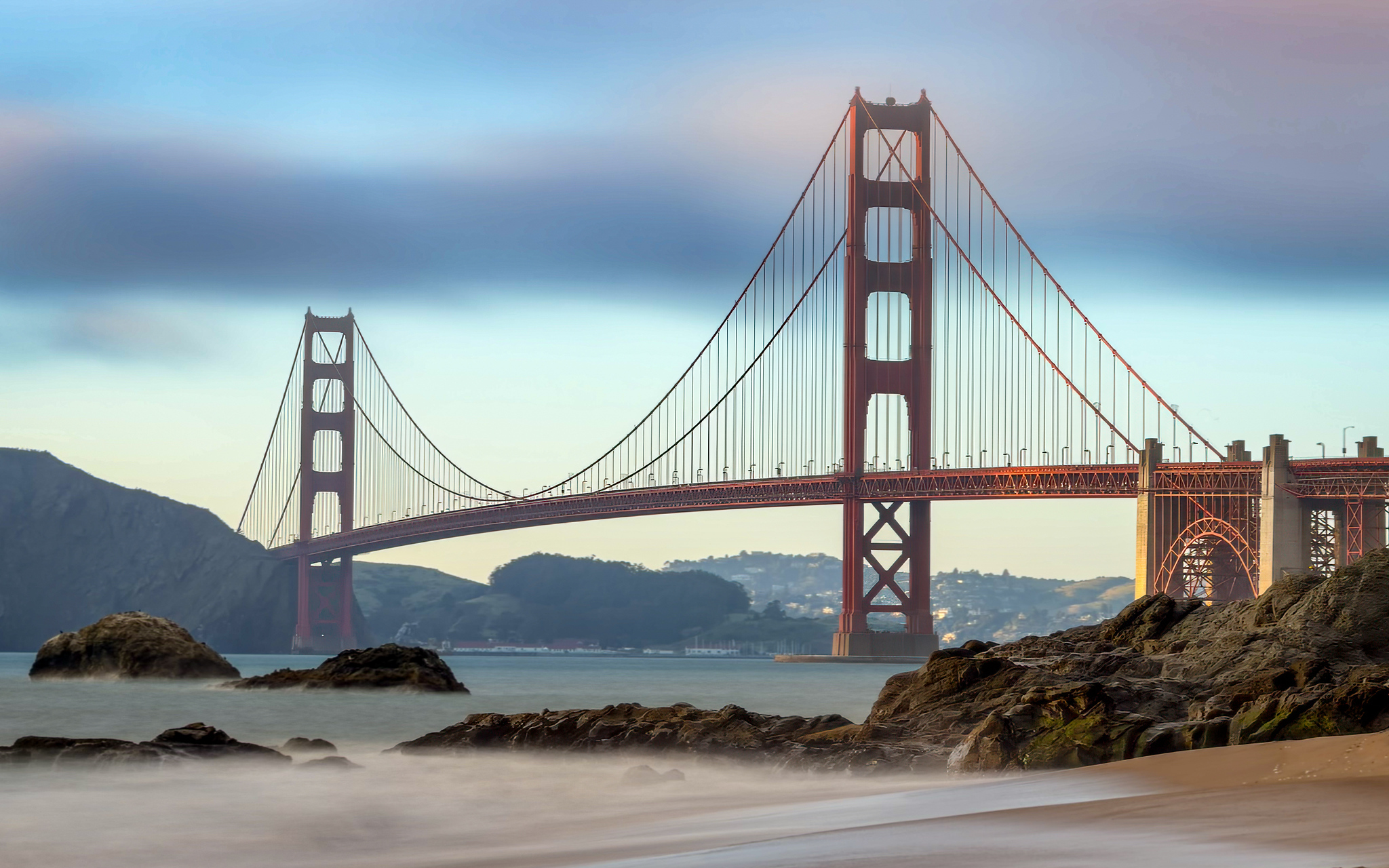
Kelley: The long exposure capability, once you know where to look. There are some incredible third-party apps that, if you put your phone on a tripod, will do long exposure beautifully, unbelievably well. One in particular does focus stacking too (Reeflex app). It’s exactly the kind of thing that makes experienced shooters stop and go, wait, it does that?
Q: Marc, from a planning perspective, what made San Francisco stand out as the ideal teaching ground for this workshop?
Marc: San Francisco offers a spectacular plethora of photography types all condensed into one little area. You can be taking a street shot in one direction, turn completely around, and capture a classic landscape of the Golden Gate Bridge or a wild beach. The coast just around the corner from the northern end of the Golden Gate is almost as wild-looking as Big Sur.
With a phone, you have the total agility and freedom to move through a bustling city without lugging around a heavy backpack or trying to squeeze between crowds with eight tripods locked down. You can blend in perfectly, just like you’re on a standard vacation.
But dynamically, what makes it a masterpiece for mobile teaching is the unique combination of architecture and topography. The streets are built incredibly close together and tight compared to sprawling US cities, creating these intense graphic lines and angles. Then you throw in the dramatic hills and the famous fog rolling through the bay, and you have an environment where the atmosphere and lighting change incredibly fast. There is just so much to play with.
Q: As a co-leader, how do you approach coaching a student who is shooting entirely on a phone? Do you find yourself diving deep into technical mobile settings, or does it shift your focus to other factors?
Marc: For me, this is a fantastic door opener to pure photography. While looking at your ISO, shutter speed, and aperture numbers can be an interesting learning tool, the reality is that the internal mechanics of a phone are wildly different from a standard camera anyway, the phone is doing wacky computational things behind the scenes, sandwiching hundreds of files together to create a single image.
So, my coaching focuses heavily on steering them toward the factors that actually matter: Is the light right? Look at how that fog is clearing. How are we framing this? Instead of watching a student lose a fleeting shot because they are muttering, “Hold on, let me loosen my tripod head—no wait, I loosened the wrong knob,” the phone allows us to turn our wrists and instantly re-compose.
I actually use my own iPhone during our traditional workshops for exactly this reason. If someone is set up too high or too low, I can walk three feet away from their tripod, drop low with my wide-angle lens, take a shot to show them how a simple perspective shift completely eliminates a distracting branch or highlights a better rock, and they can see it and capture it instantly on their big setup. The principles of a great work of art don’t change based on the gear.
Breakdown of a Shot
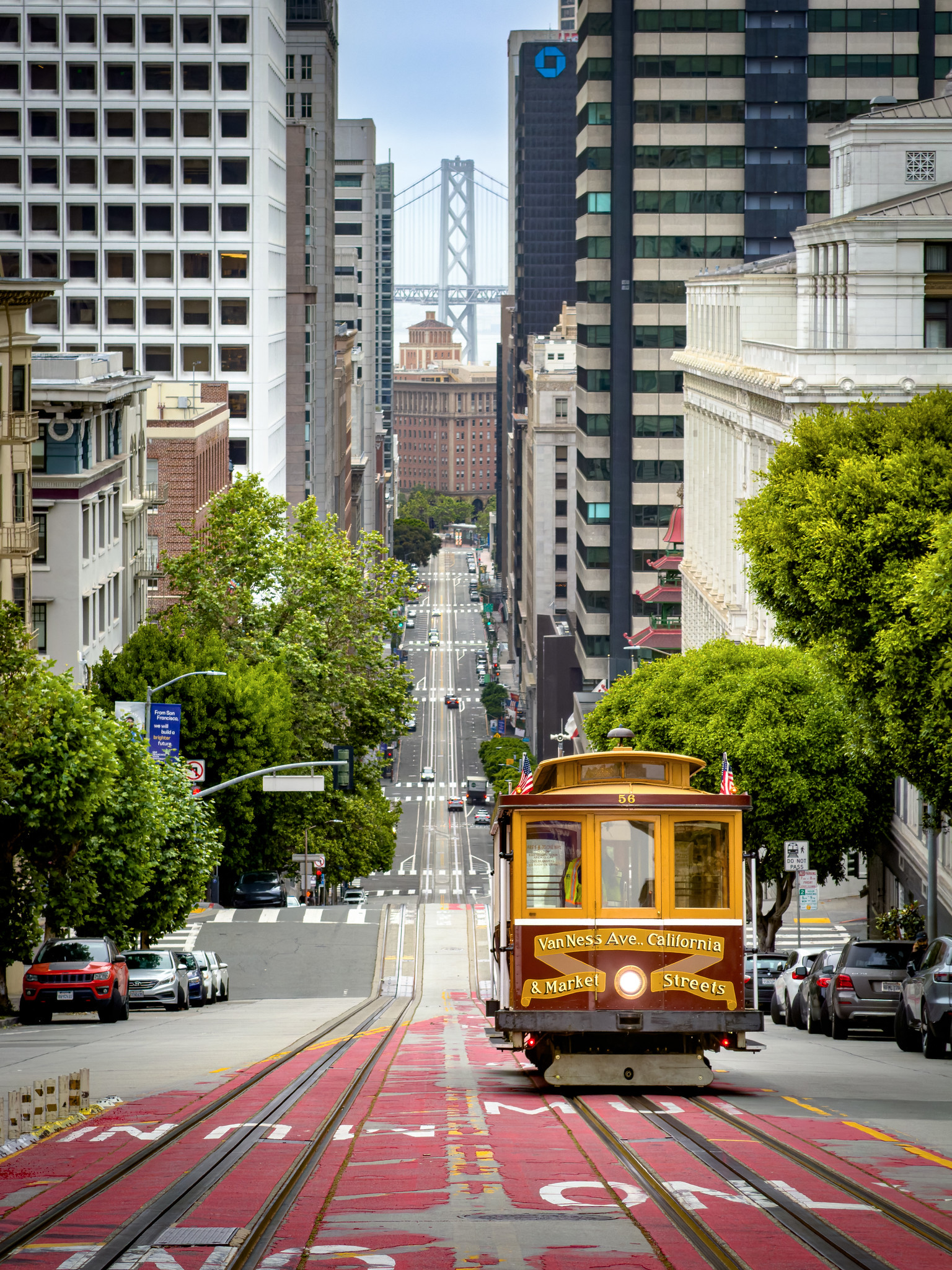
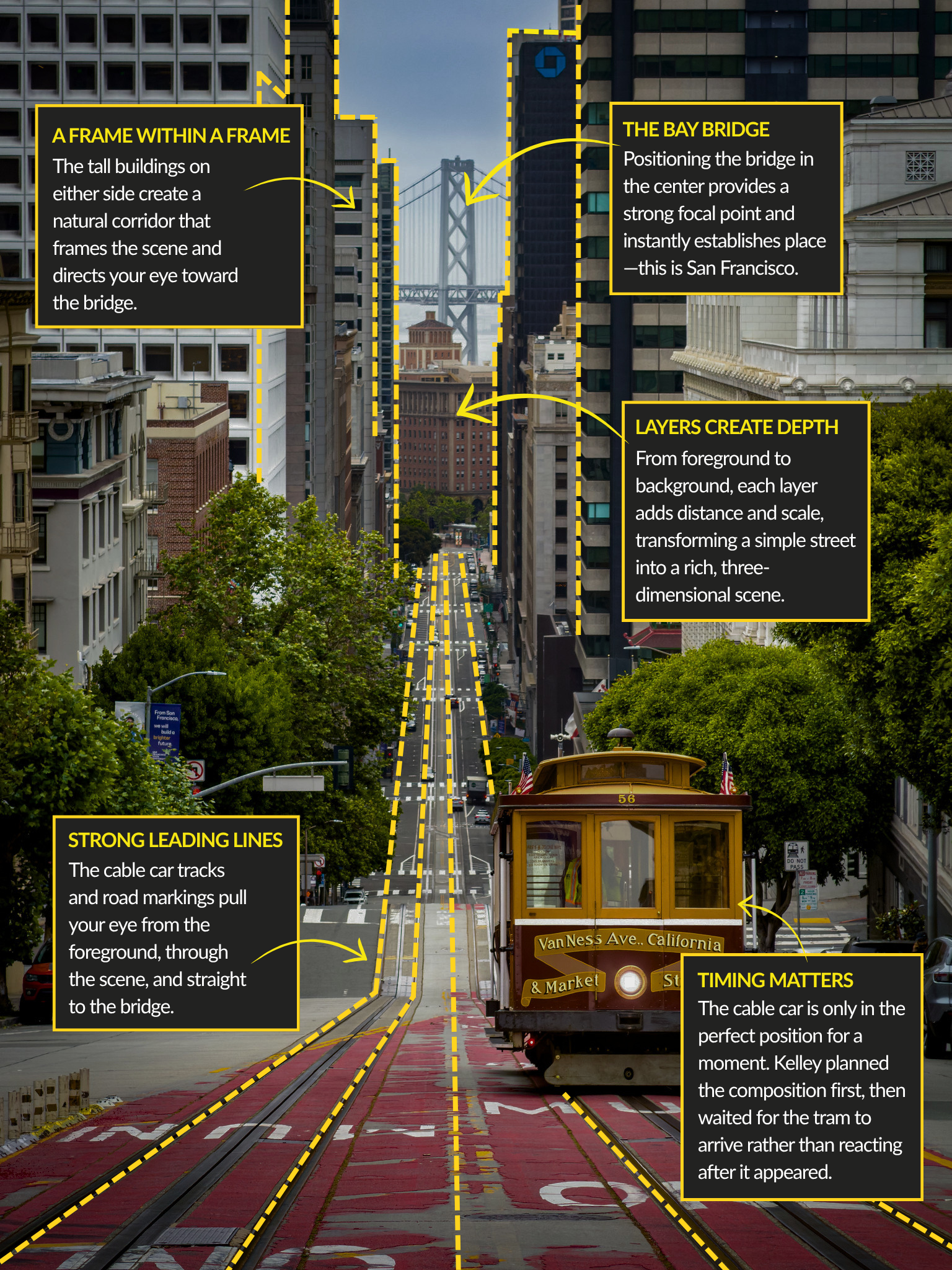
Q: Let’s talk about one of the shots being used to promote the workshop, the cable car coming down the hill with the Bay Bridge behind it. How did you get that on an iPhone?
Kelley: There’s a lot of planning that goes into a shot like that, regardless of the camera. On those steep streets you’ve got traffic coming up behind you constantly. At that spot, you wait for the tram to pass you heading down the hill, run out, shoot quickly, and get out of the way. There’s no time to fiddle with settings.
For the iPhone specifically, the key technique is locking focus. Before the tram arrived, I practiced on passing cars, pressing and holding my finger on the screen until focus locks. When the tram came, my focus stayed locked on it as it moved away, so I could just shoot.
We’ll practice that same real-time coordination on the workshop, so it becomes muscle memory before the moment actually arrives.
Q: Why October specifically?
Kelley: It’s the insider secret! The funniest thing about living in San Francisco was driving through Fisherman’s Wharf in June or July and seeing every single person in shorts and flip-flops wearing a San Francisco sweatshirt, because they’d packed for sun and got the summer fog instead.
My favorite time of year in San Francisco is October – it’s one of the best weather months of the year. San Francisco experiences fog, especially in the summer, because hot air rising over California’s Central Valley acts like a giant vacuum, drawing cold, moist marine air from the Pacific Ocean inland. By October, shifting seasonal winds and cooler land temperatures stop pulling the fog ashore.
Q: Finally, when people ask whether an iPhone can truly replace a “real” camera, what’s your answer?
Kelley: It depends entirely on the individual and what they want from their final images. If you’re tracking an animal 400 yards away on safari, a phone won’t cut it, and it’s important to know where the tool’s limits are.
But for most of daily life, travel, street scenes, and landscape storytelling, the iPhone is more than capable. If you’re bold enough to leave the heavy gear behind, understand your lenses, and get the fundamentals right, the phone gives you something a big camera body can’t: complete, unburdened creative freedom.
Ready to unlock the professional capabilities hidden inside your pocket? Click below to find our more about our exclusive 10/27 San Francisco iPhone workshop with Kelley and Marc.


